

What is new
Everything that has changed in Agilix lately - for competitors and for organizers.
-
 everyone
Give your competition place away yourself
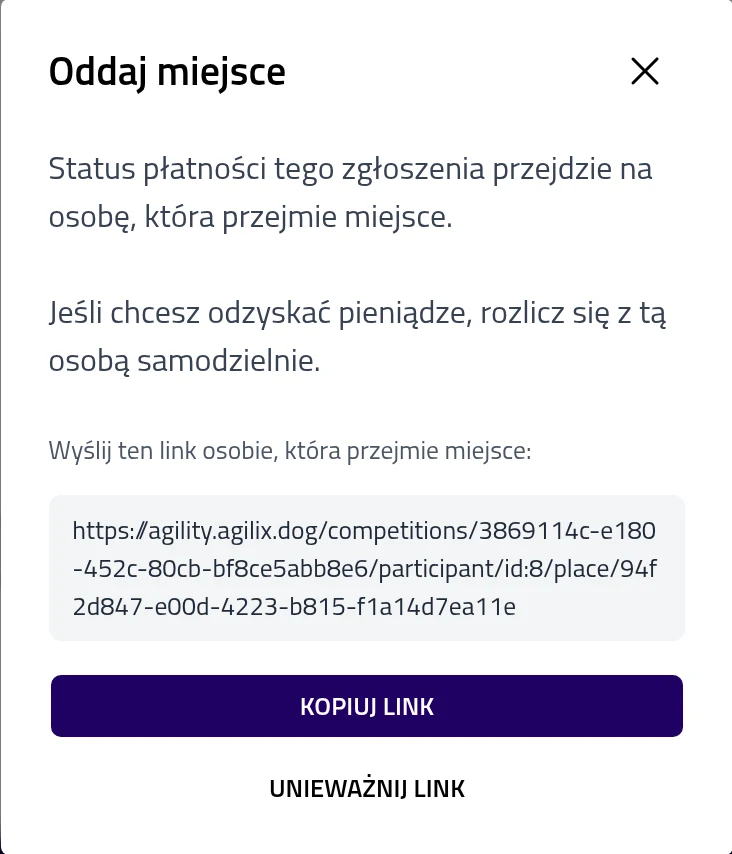
Can't make it? In "My participation", click "Give away place" next to an accepted entry and send the link to the person taking it over. You can do this up to 4 days before the competition. Organizers can switch it off when editing the competition.
-
 competitors
We will let you know before your start
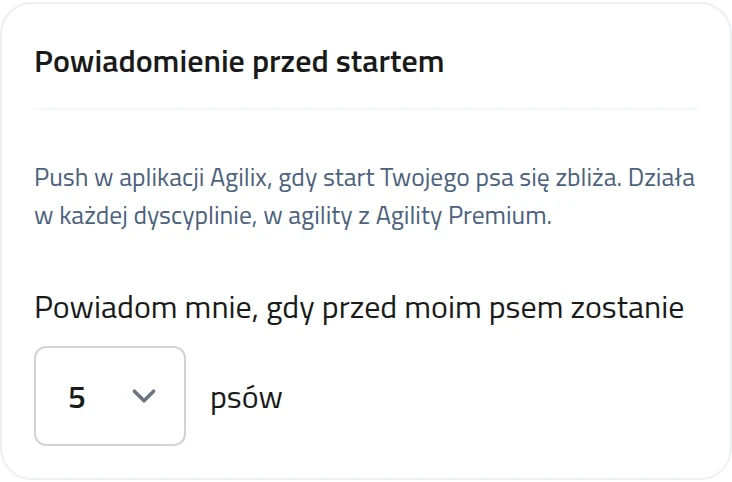
When the number of dogs you chose is left ahead of yours, you get a push in the Agilix app. You set that number, from 1 to 20, in your profile. In agility the notification is part of Agility Premium.
-
 organizers
Membership dues paid online
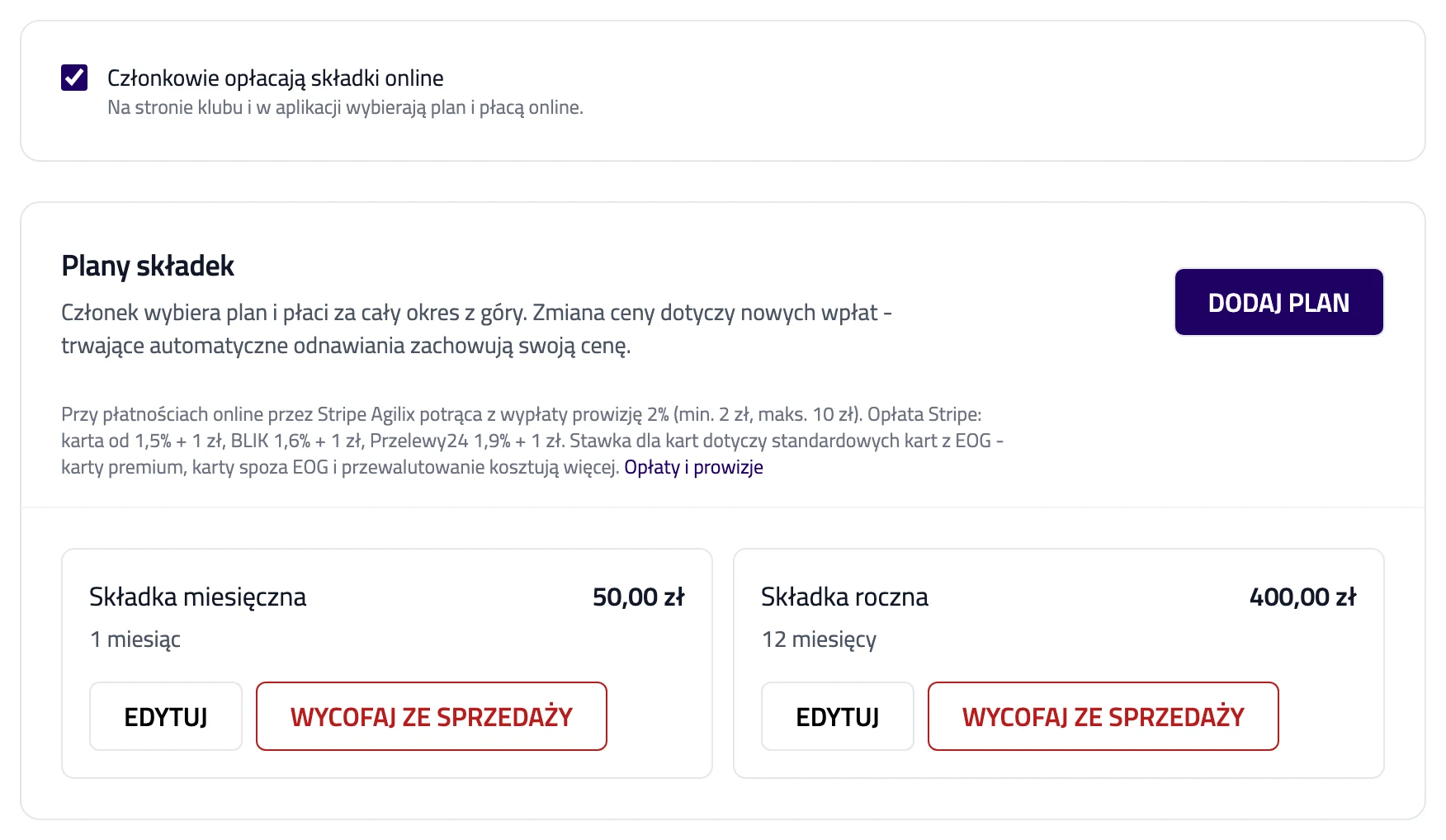
In your club settings, under Membership dues, you add dues plans with a period and a price, then turn online dues on. Members pay by themselves on the club page and in the app, once or with automatic renewal. The payment records itself, and members who do not renew automatically get a reminder before their dues run out.
-
 organizers
Dues your members pay themselves
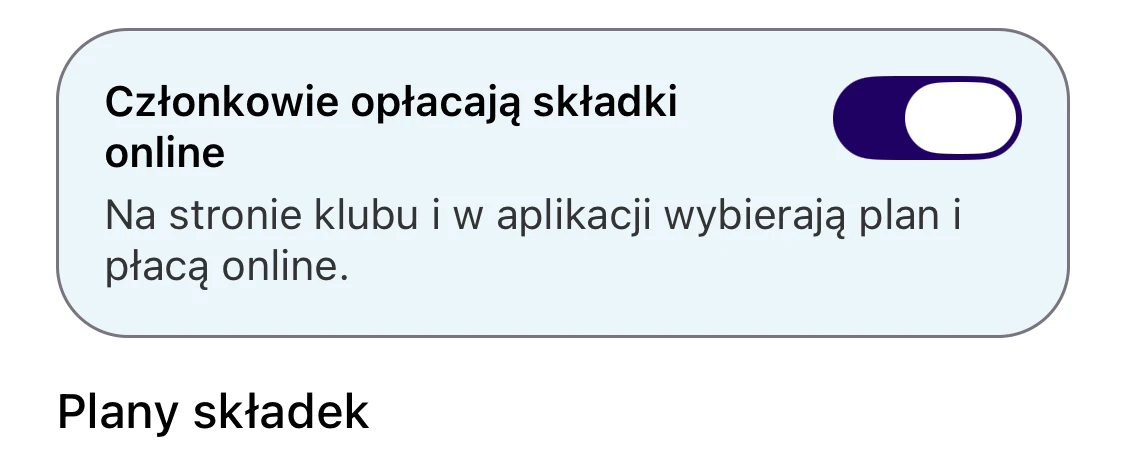
In your club settings, under Membership payments, you add dues plans and turn online dues on. Members pay by themselves under Member profile, once or with automatic renewal. The payment records itself, and members who do not renew automatically get a reminder before their dues run out.
-
 organizers
Seminar fees paid online
In your seminar's Payments tab, you pick a payout account and describe your prices in your own words. We work out each participant's fee from that description. Participants pay online once their entry is accepted, and the payment marks itself as paid.
-
 organizers
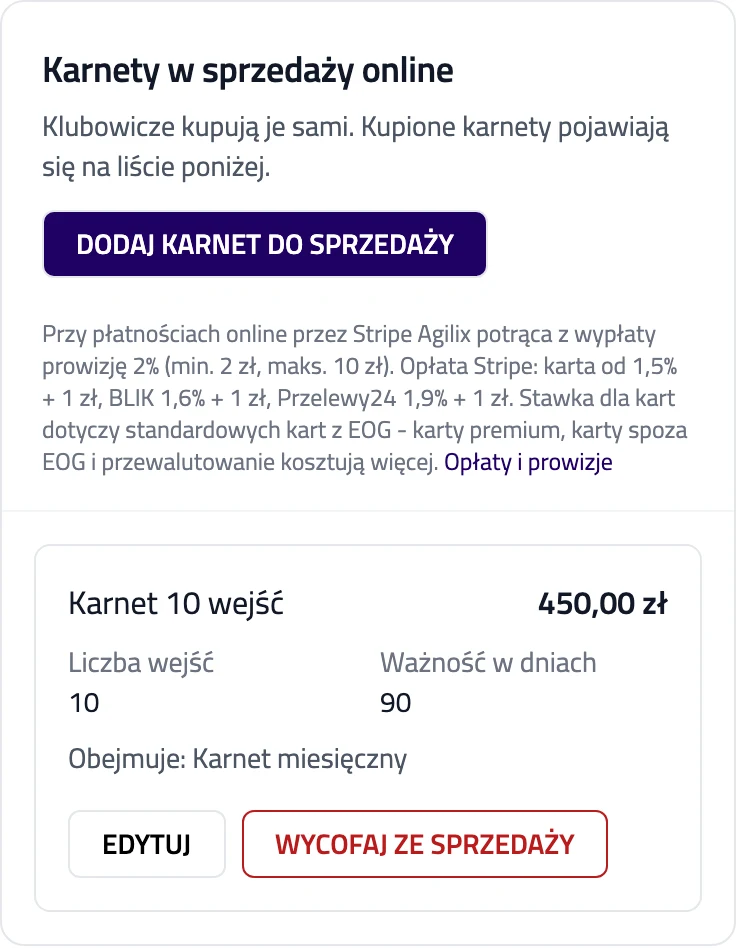
Club punch cards sold online
In your club panel, under Punch cards, you put a card on sale: its entries, how long it is valid, its price and the classes it covers. Members buy it themselves on the club page and in the app, and booking a covered class uses one entry per dog. When a member resigns from a class while your club still allows resigning, the entry goes back on their card.
-
 organizers
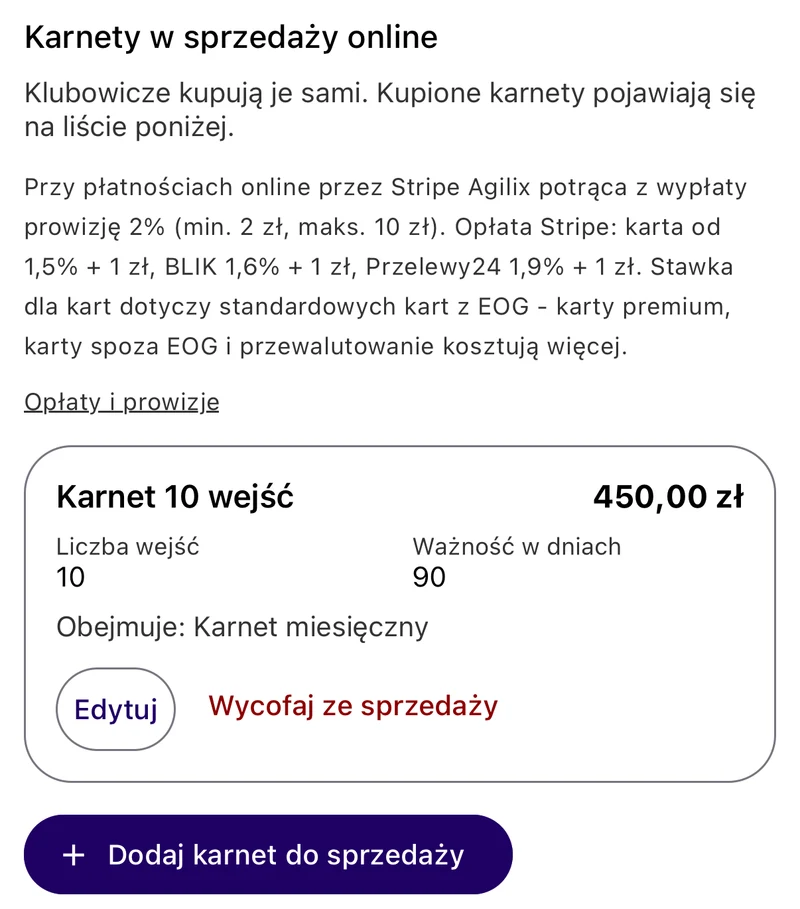
Punch cards your members buy themselves
In your club settings, under Punch Cards, you put a card on sale: its entries, how long it is valid, its price and the classes it covers. Members buy it themselves under Member profile, and booking a covered class uses one entry per dog. When a member resigns from a class while your club still allows resigning, the entry goes back on their card.
-
 organizers
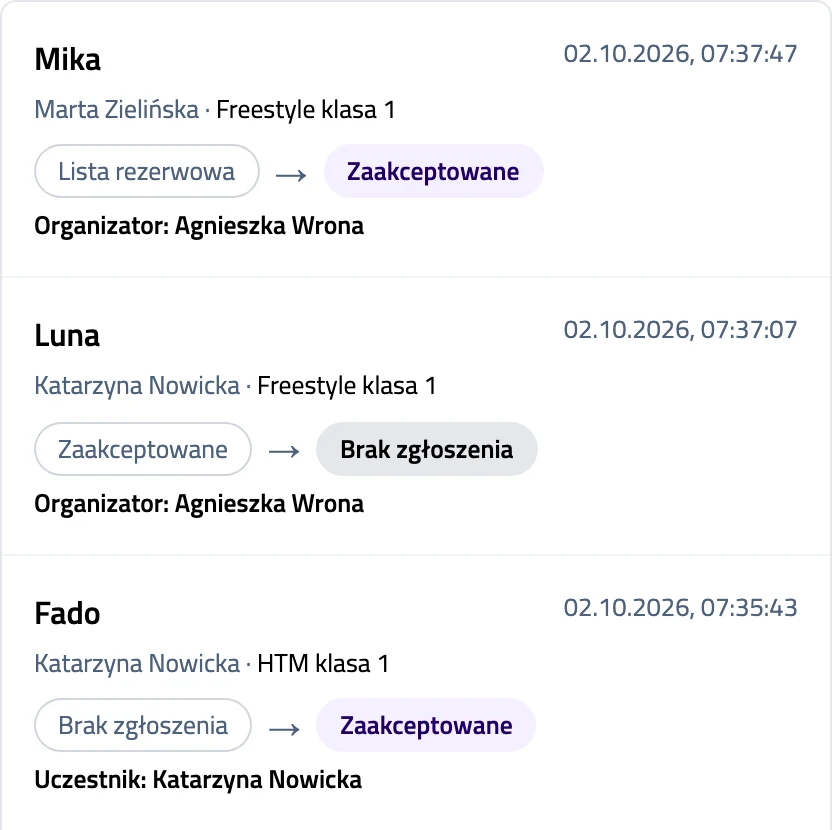
Entry history in Dog Dancing
You will find an "Entry history" page in the competition menu. It lists every change, newest first: a dog entered in a class, a place on the waiting list, a promotion from it and a removed entry - each with the date and who made it. Removed entries stay there too; changes made before the history was switched on are not listed.
-
 organizers
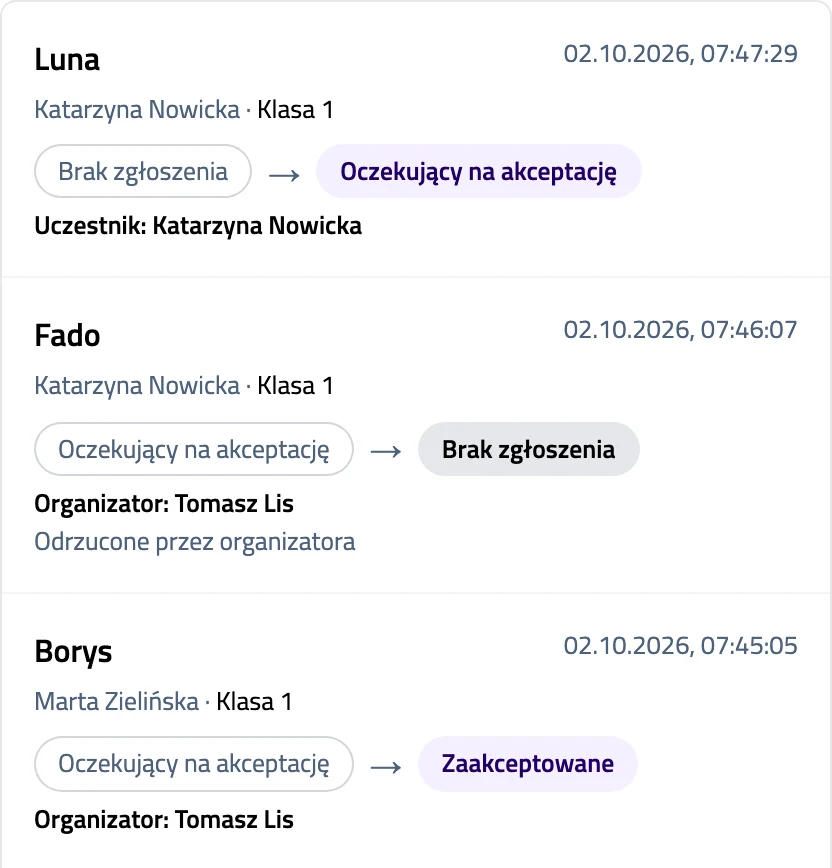
Entry history in FCI Rally Obedience
You will find an "Entry history" page in the competition menu. It lists every change, newest first: an entry, its approval or rejection by the organizer, the waiting list and training starts - each with the date and who made it. Removed entries stay there too; changes made before the history was switched on are not listed.
-
 organizers
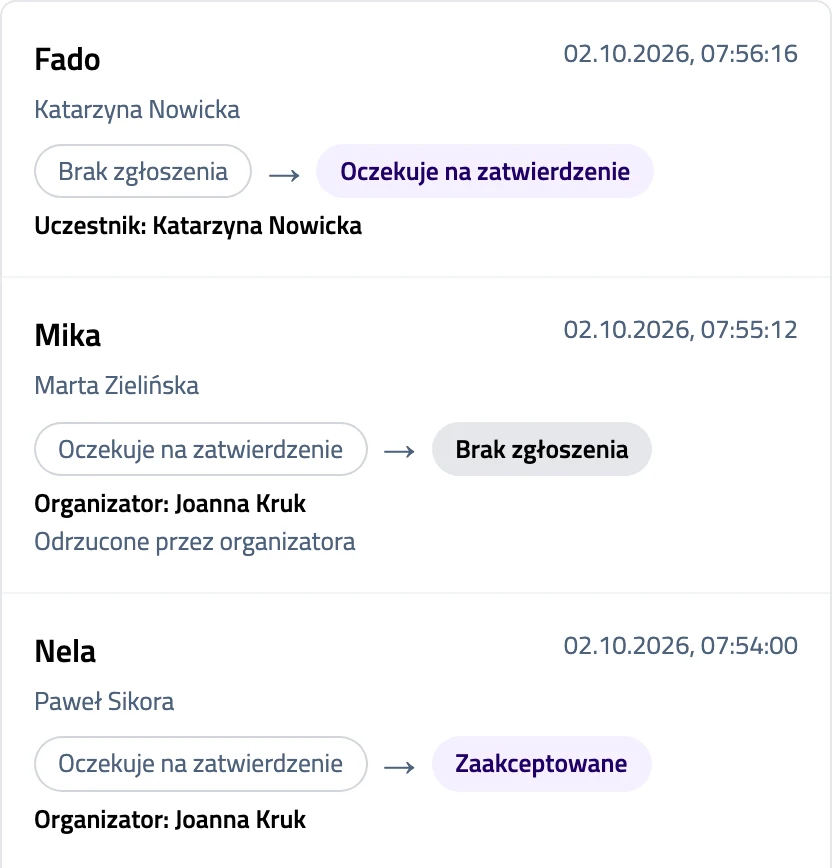
Entry history in Obedience
You will find an "Entry history" page in the competition menu. It lists every change, newest first: an entry, its approval or rejection by the organizer, the waiting list and training starts - each with the date and who made it. Removed entries stay there too; changes made before the history was switched on are not listed.
-
 organizers
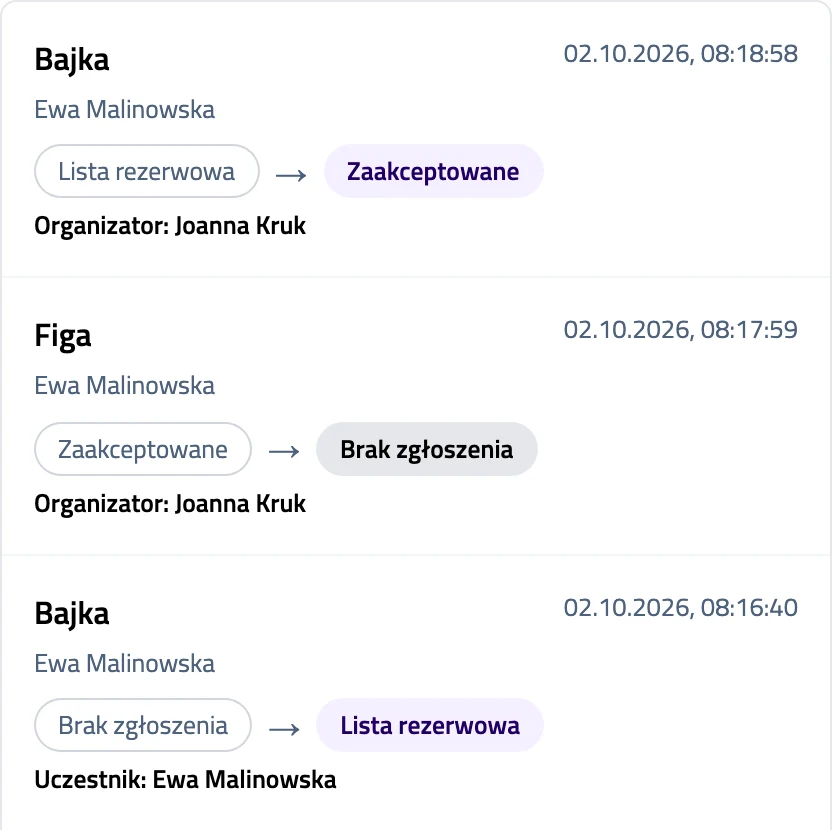
Entry history in Hoopers
You will find an "Entry history" page in the competition menu. It lists every change, newest first: a dog's entry, a place on the waiting list, a promotion from it and an entry removed by the organizer - each with the date and who made it. Removed entries stay there too; changes made before the history was switched on are not listed.
-
 organizers
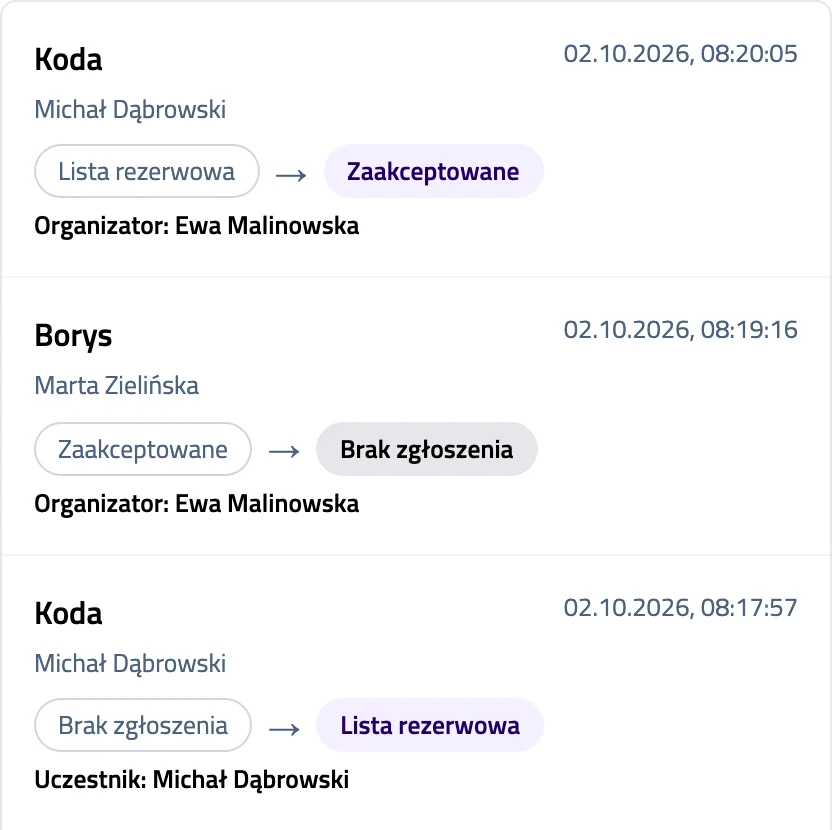
Submission history in Nosework
You will find a "Submission history" page in the competition menu. It lists every change, newest first: a dog's submission, a place on the waiting list, a promotion from it and a submission removed by the organizer - each with the date and who made it. Removed submissions stay there too; changes made before the history was switched on are not listed.
-
 organizers
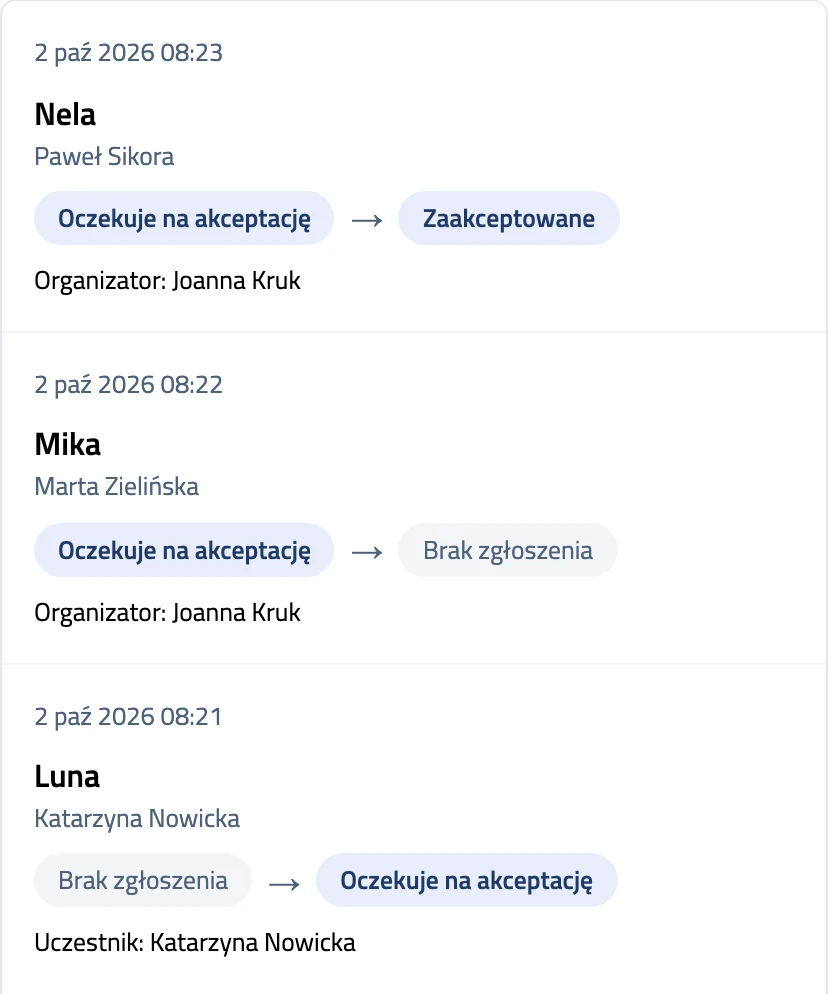
Entry history in Agility
You will find an "Entry history" page in the competition menu. It lists every change, newest first: an entry, its approval, the waiting list, a withdrawal by the participant and a removal by the organizer - each with the date, who made it and, for some changes, the reason. Removed entries stay there too; changes made before the history was switched on are not listed.
-
 organizers
A waiting list for full classes
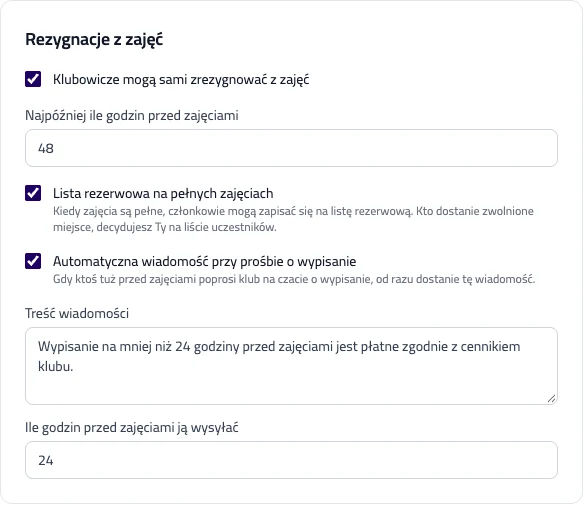
You switch the waiting list on in your club participation settings; it is off by default. When a class is full, members join the list and see which place they hold. You decide who gets a freed place: on the participants screen you add the person you choose to the class, or take them off the list.
-
 organizers
A waiting list for full classes
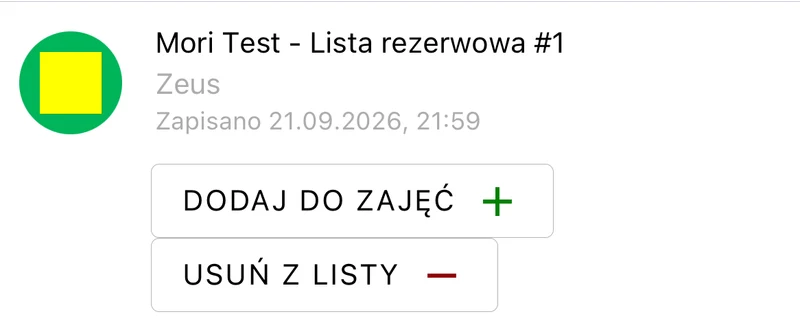
You switch the waiting list on in your club participation settings; it is off by default. When a class is full, members join the list and see which place they hold. You decide who gets a freed place: on the participants screen you add the person you choose to the class, or take them off the list.
-
 everyone
The club panel on the web and in the app
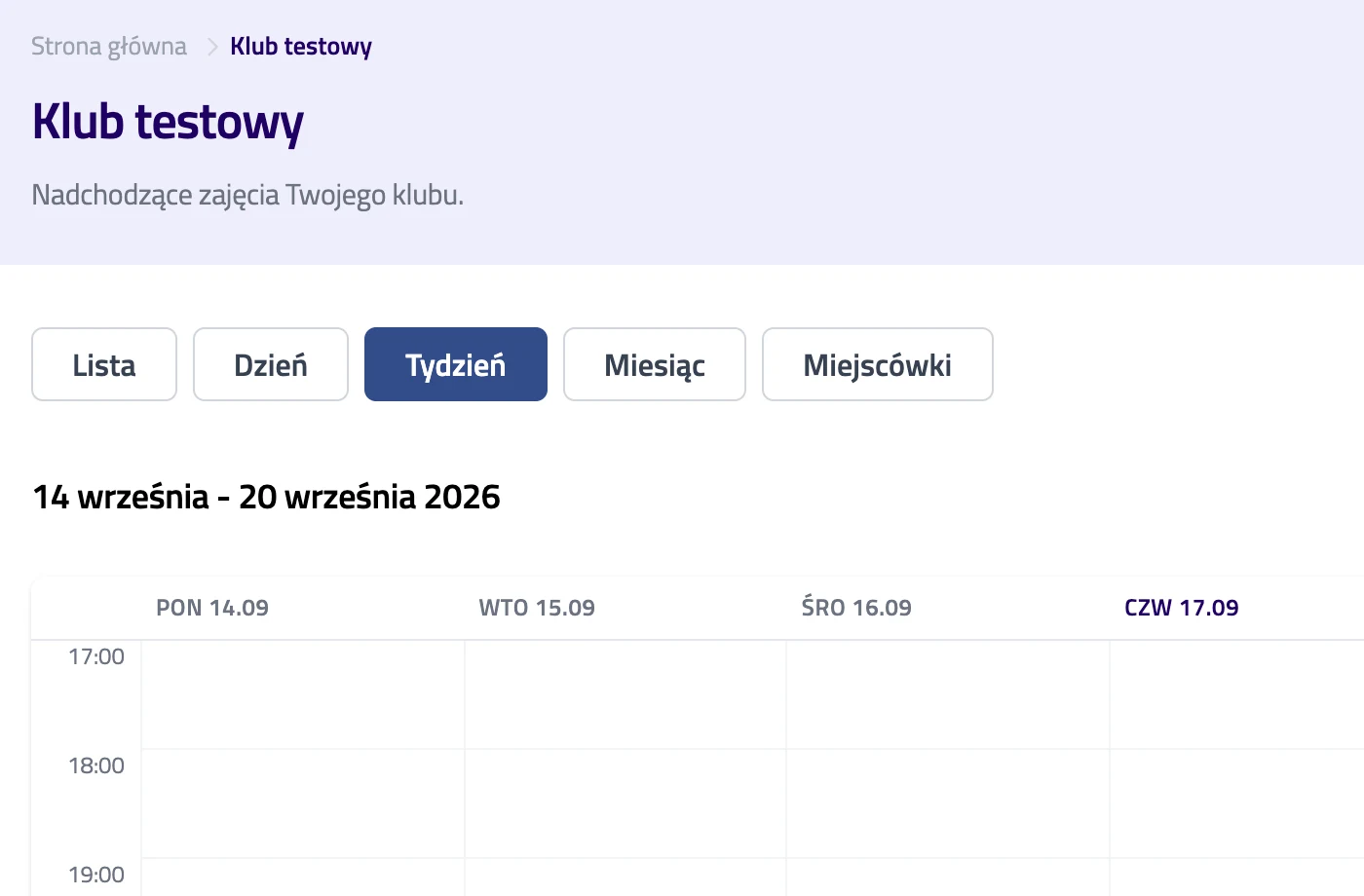
The club panel on agilix.dog now does everything the app does: venues, rentals, classes and sign-ups, members, finances and club settings. Set up a venue at your desk and handle bookings from your phone at the hall. Thanks for the suggestion: Faustyna Kosno.
-
 organizers
Your competition lands on the club's page
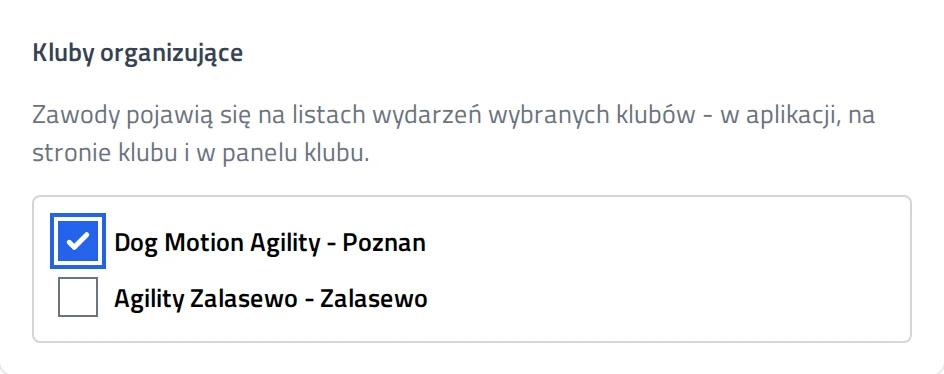
In the competition form you pick the clubs organising it. Everyone who can see the club then sees the competition. That includes people who never ticked that discipline.