
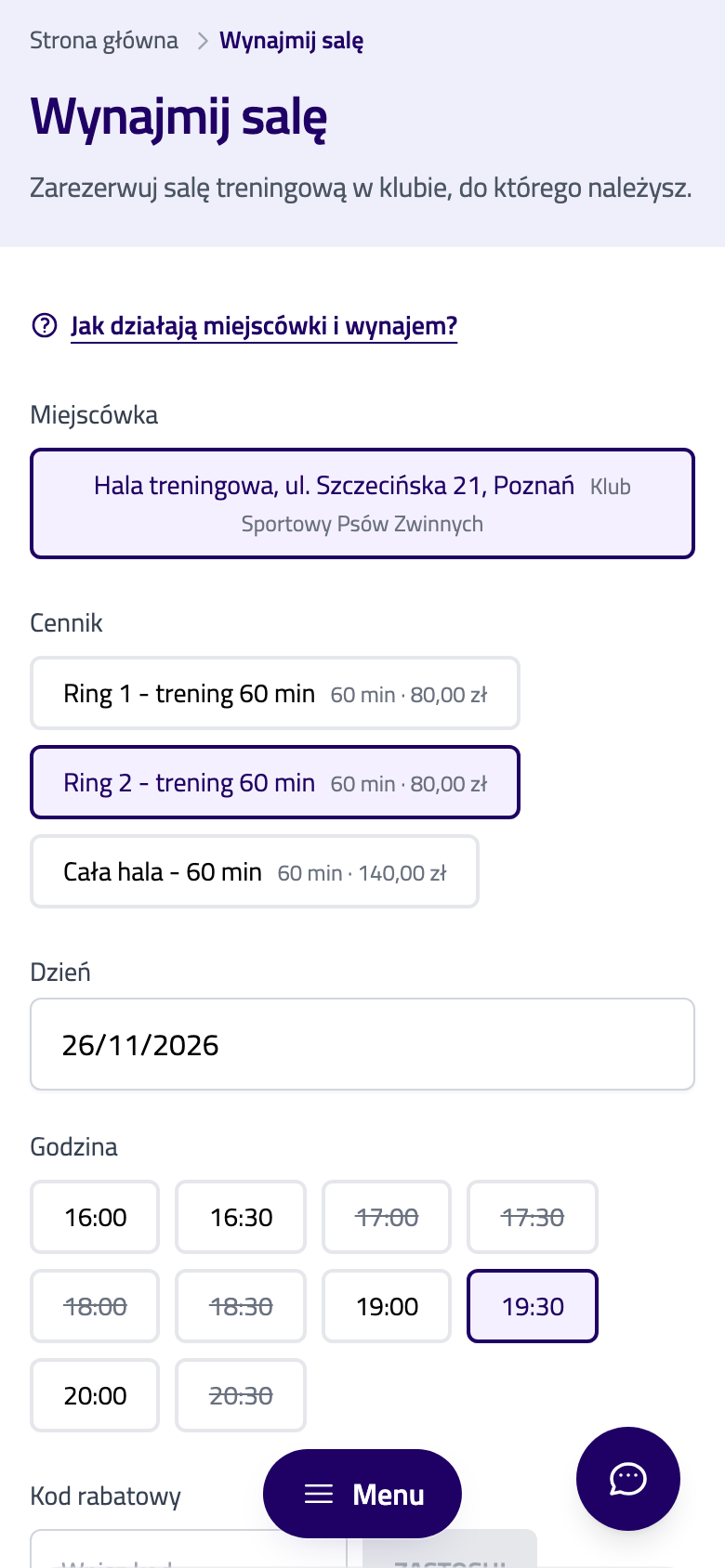
Picking a slot
The renter picks a price list item and one of the free hours.
Own a dog training hall, room or field? Set the opening hours once. Trainers with access book the free slots themselves and can pay online when they book.
A Tuesday evening at the hall. A session is running in the first ring. The second one stands empty until closing, and someone would gladly take it if they knew it was free.
In Agilix, the people you give access see the free hours of your hall. They book them in the app or on agilix.dog. Once you set a price list and connect a payout account, they pay when they book. You publish no slots and keep no booking notebook.
You pick the weekdays, the hours and the training spaces, for example two rings in one hall. You set the allowed rental lengths and how many days ahead people can book.
You give access to specific people. Chosen hours can stay reserved for one regular trainer.
A person with access picks a free slot. When the venue has a price list and the club a payout account, they pay by card or BLIK. The booking is confirmed once it is paid.
You create no empty events and no lists of free hours. The system shows renters the free hours from your opening hours and the taken slots.
Your hall is not an ad for everyone. The people who book are the ones you give access, or the ones you name on chosen opening hours.
Each price list item has a length, spaces and a price. One item can cover several spaces. Chosen people can get a price of their own.
With a price list and a payout account for the club, the renter pays at booking, by card or BLIK. The slot is held for them while they pay. The page Fees and commissions lists the commission on payments.
Chosen people book without paying for each slot. They get one bill for the whole month. If a bill goes unpaid, they pay at each booking again.
A code takes a percentage or an amount off the rental price. You set a use limit and an expiry date.
Club admins get a notification when someone books or cancels a slot. The renter gets a booking confirmation.
You see club classes and rentals in one schedule. Each space can be viewed on its own. In the app and in the club panel on agilix.dog.
A taken slot does not show among the free hours. Classes, rentals and slots being paid for all count. You can also set a break before and after a rental.
Once you connect Google or Apple Calendar, the system adds your hall bookings to it. Renters get their own rentals in their calendar.
You manage the hall in the app and in the club panel on agilix.dog.
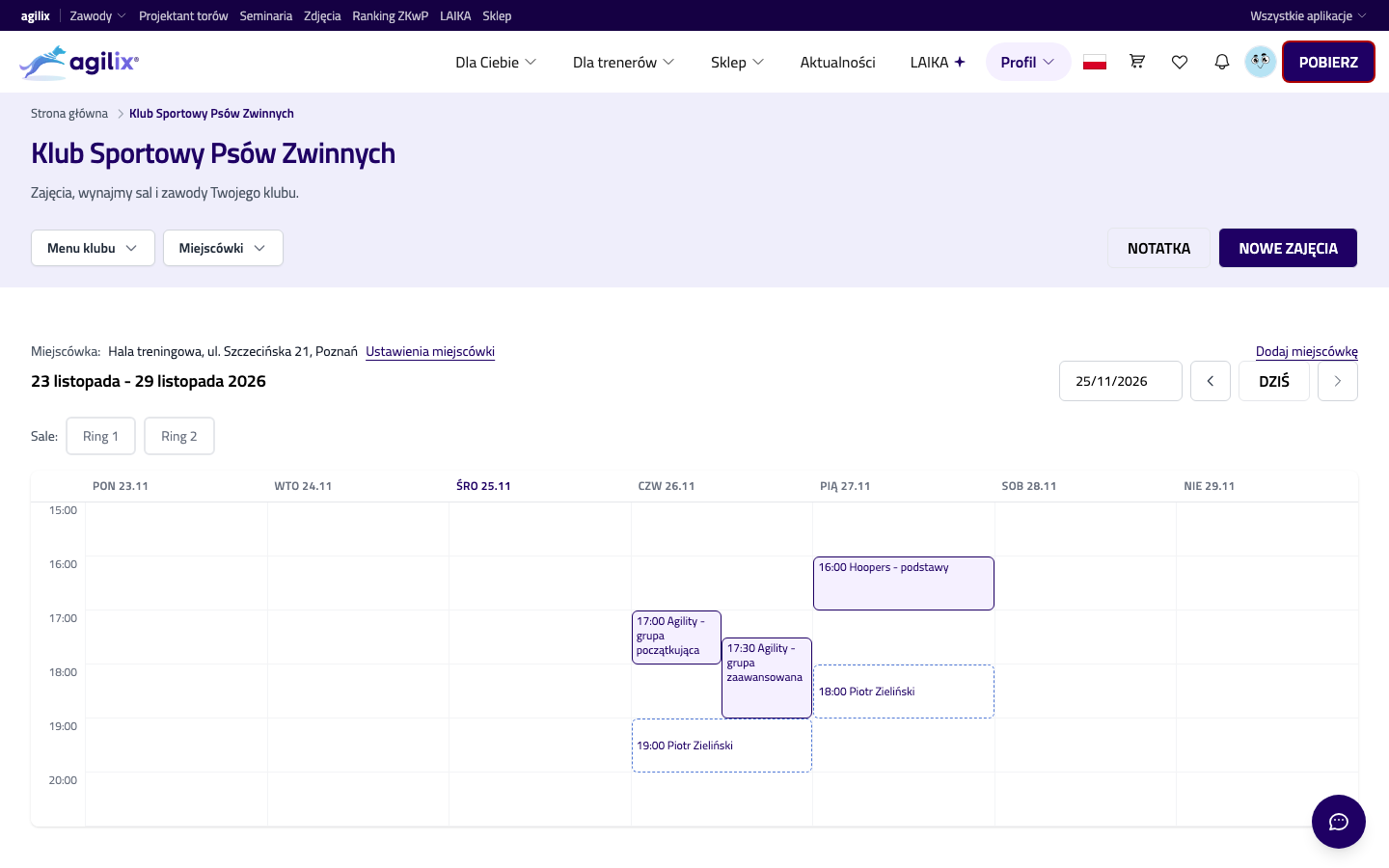
The week hour by hour: club classes and rentals. You can also view each space on its own.
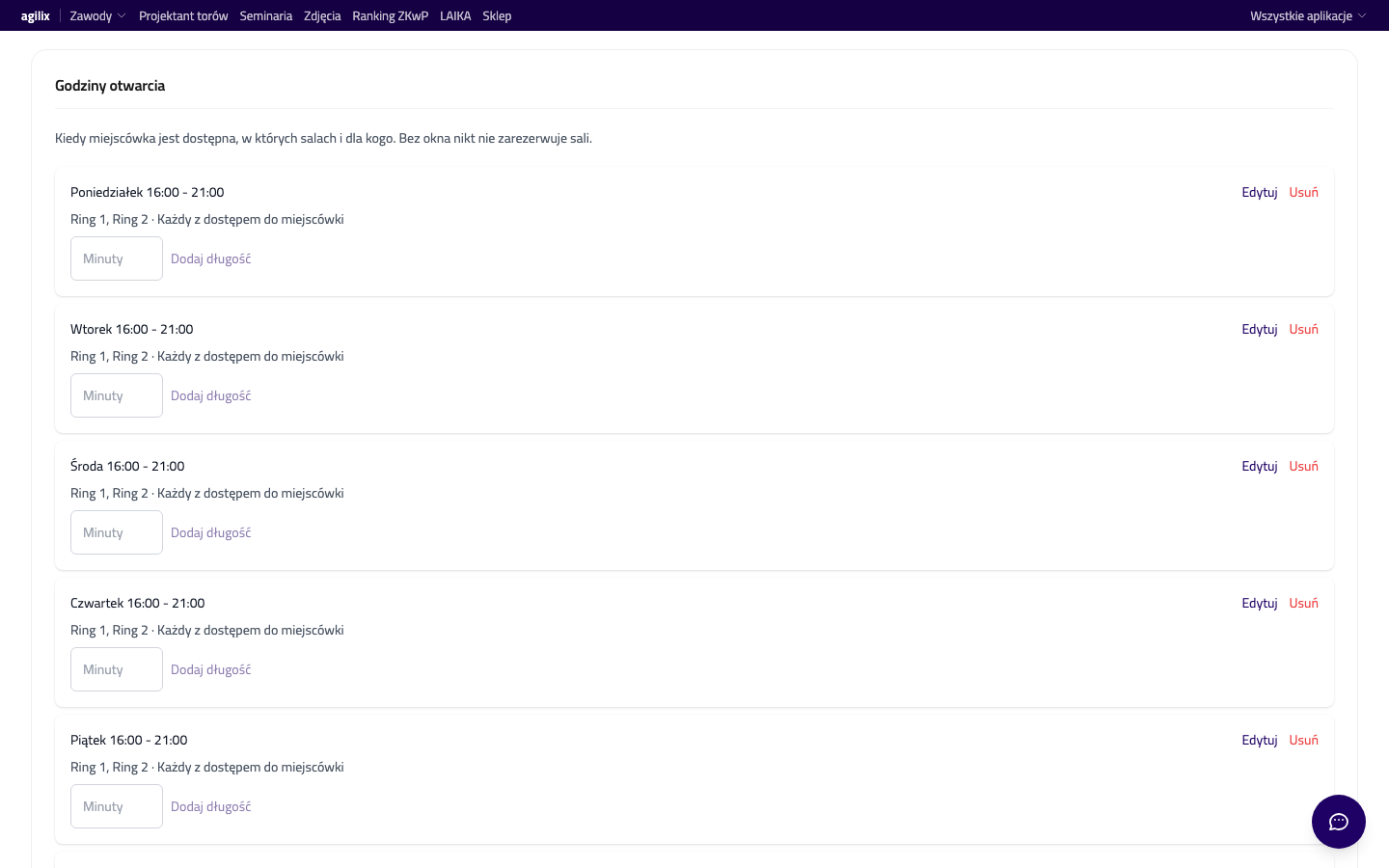
The days, hours and spaces open for booking.
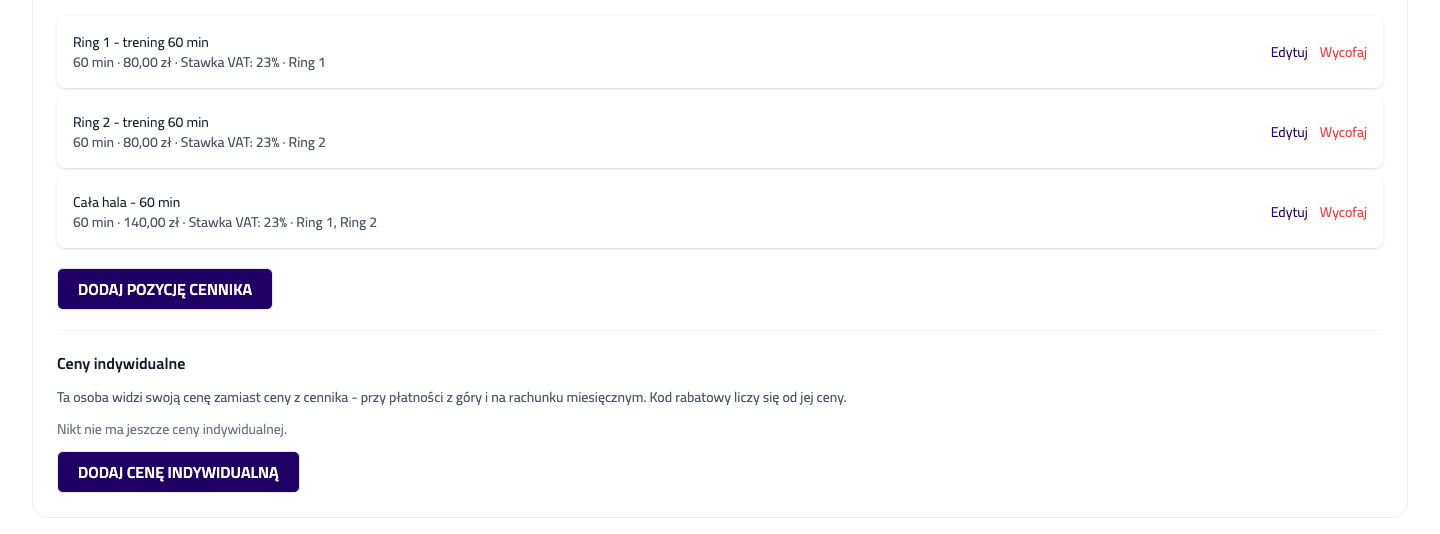
Items with a length, spaces and a price.
The renter picks a price list item and one of the free hours.
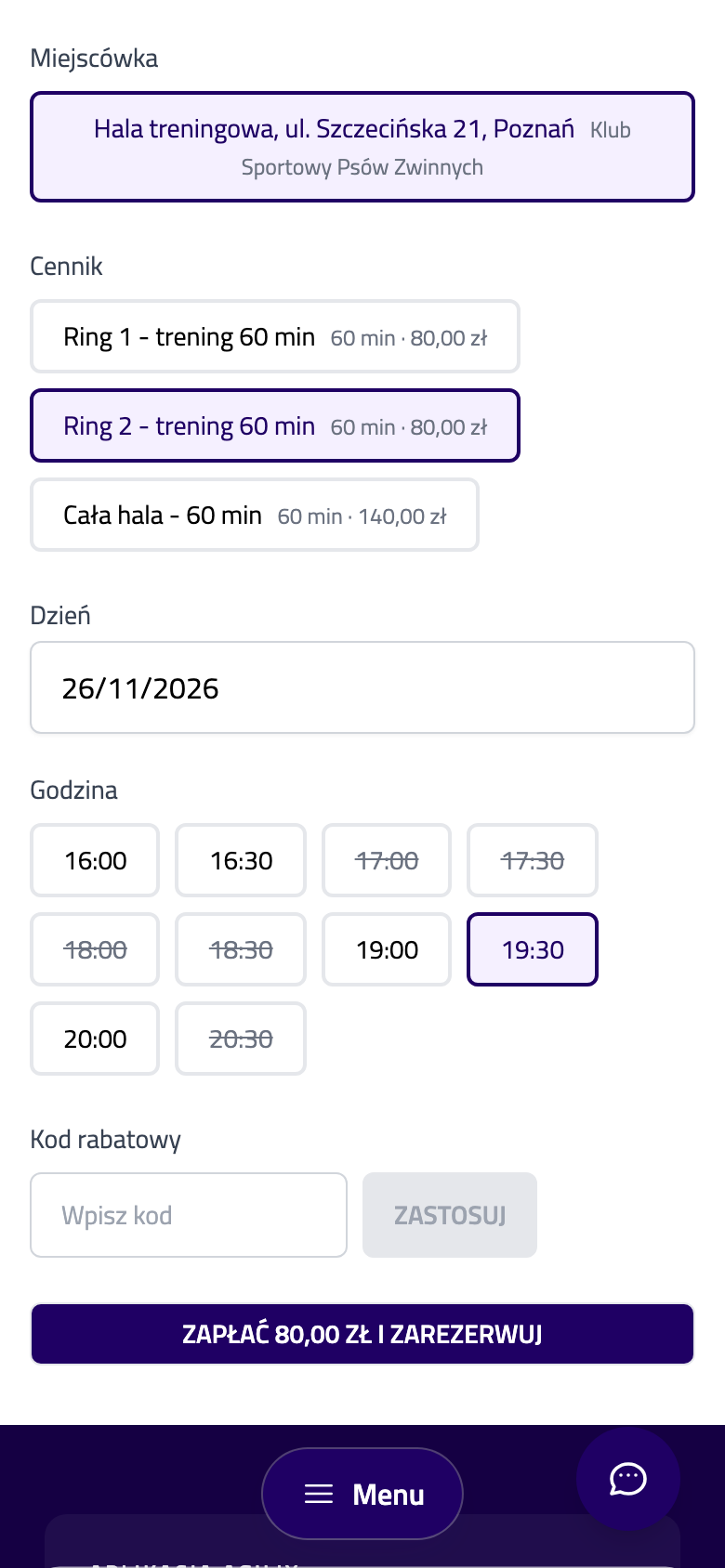
Before paying, the renter sees the price and can enter a discount code.
Create a club, add your hall and its opening hours. Then give access to the trainers who already train with you.